

The Nuclear Option
How I Turned My Gaming Rig Into a Sovereign AI Server


How We Ended Up Here: The Origin Story
For those just joining us, this isn’t a random technical experiment; it’s a pivot that came out of a failure of trust.
The Catalyst: Can you really trust managed AI services with your sensitive data?
The Breaking Point: Managed services hit their limits. The risk of data leakage pushed us to the Nuclear Option.
The Pivot: I repurposed the same gaming rig I use for Baldur’s Gate 3 into a bare-metal reasoning engine.
The Mission: Show that a single operator with a consumer GPU can build a more secure, capable AI server than most Fortune 500s have in production.
The Paranoia Check: Why Not a VM?
I know what the IT side of your brain is screaming: “Frank, don’t run random scripts on your production rig.”
And you’re right. My first attempt failed immediately because I didn’t have my environment locked down.
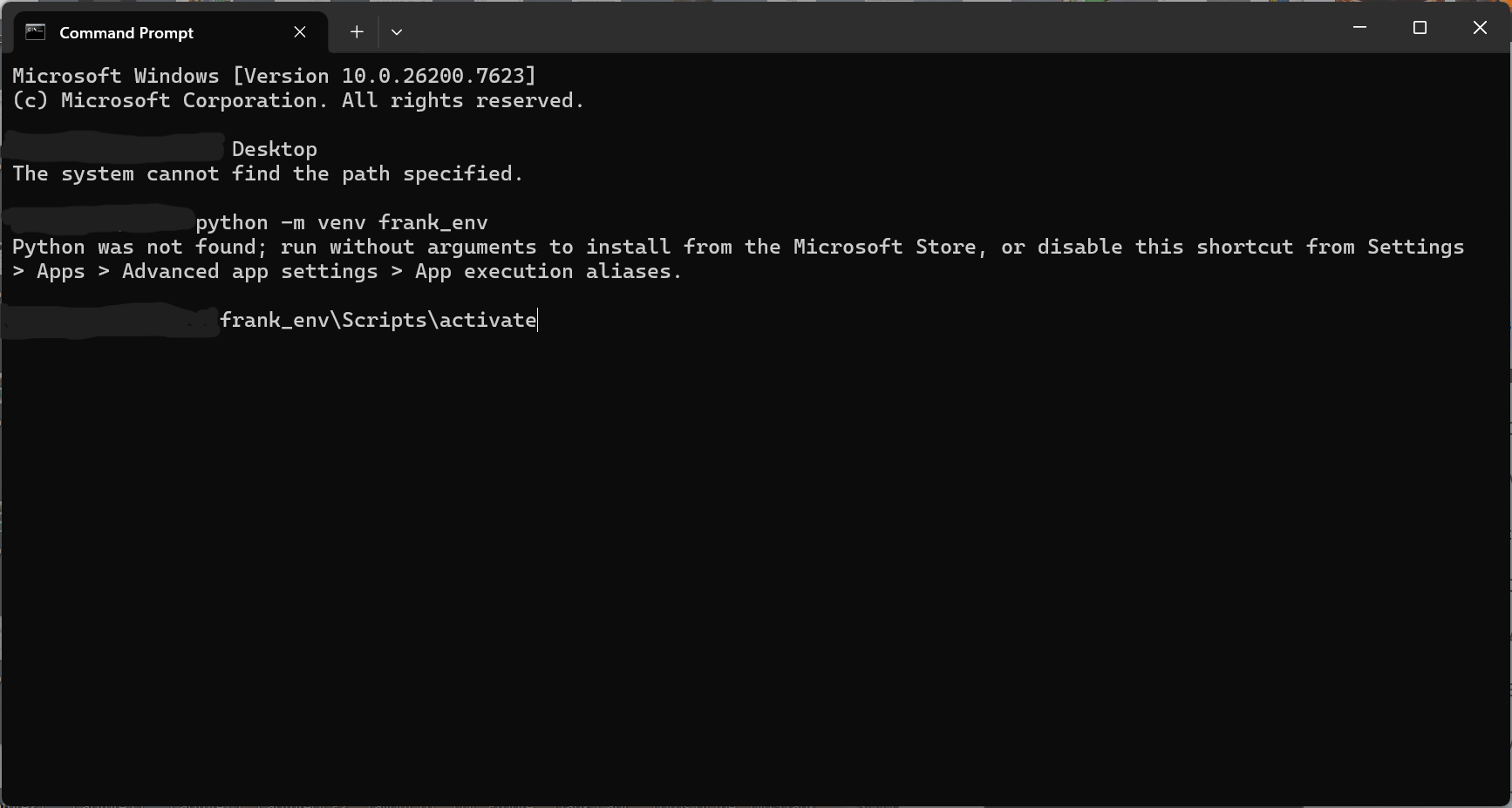
VirtualBox is where GPU speed goes to die. To get native performance, you need a “Soft” Sandbox: a Python virtual environment (venv). Think of it as a disposable hazmat suit for your code; if it acts weird, delete the folder and it’s like it never happened.
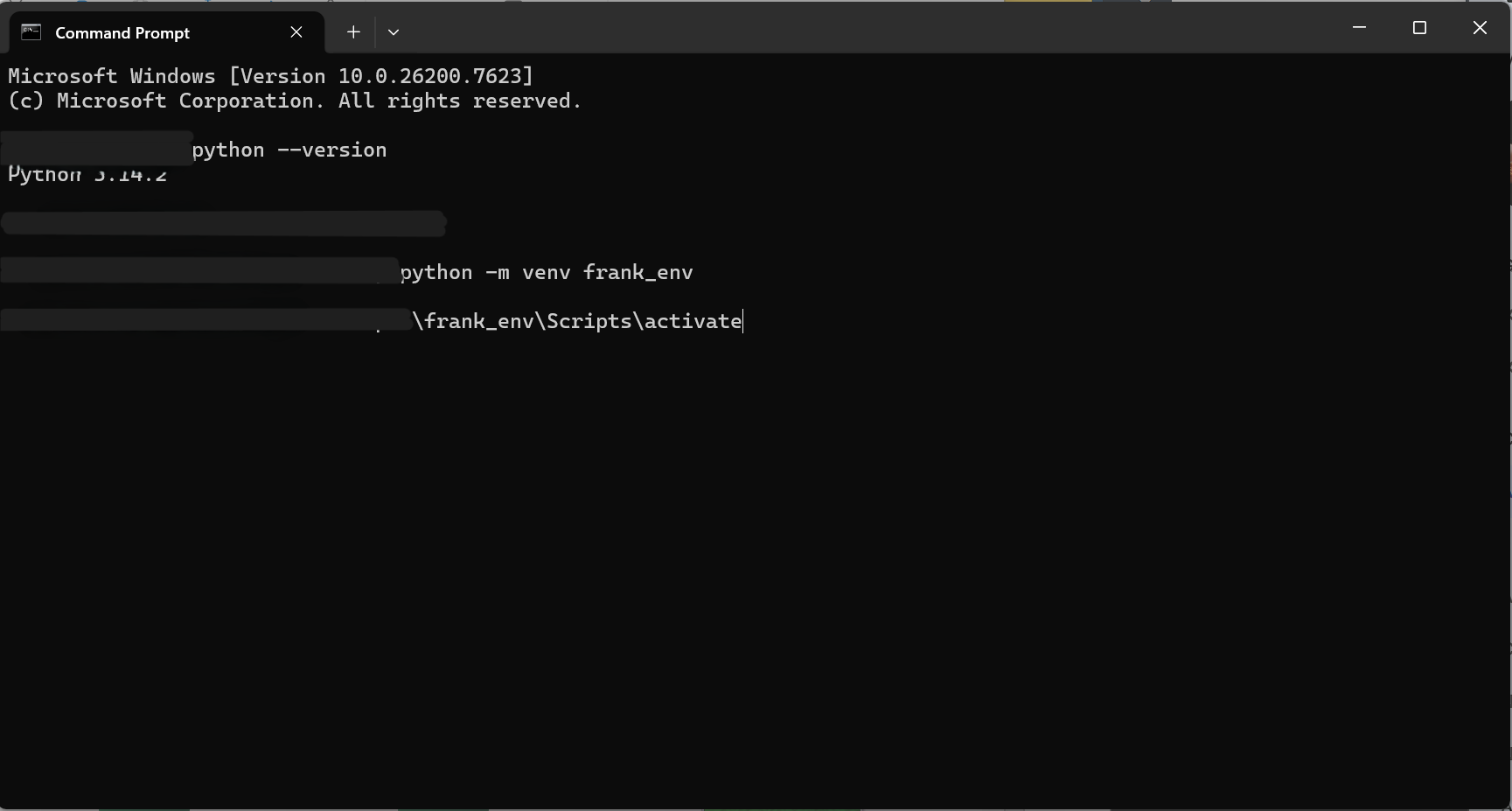
The Hazmat Suit. Running inside a venv keeps your main OS clean. (I’ve blurred my username. Your path will show C:\Users\YourName\OneDrive\Desktop or wherever you saved your project.)
Try This Yourself (≤5 minutes)
Phase 1: The Brain
We aren’t using the cloud. We need a local brain.
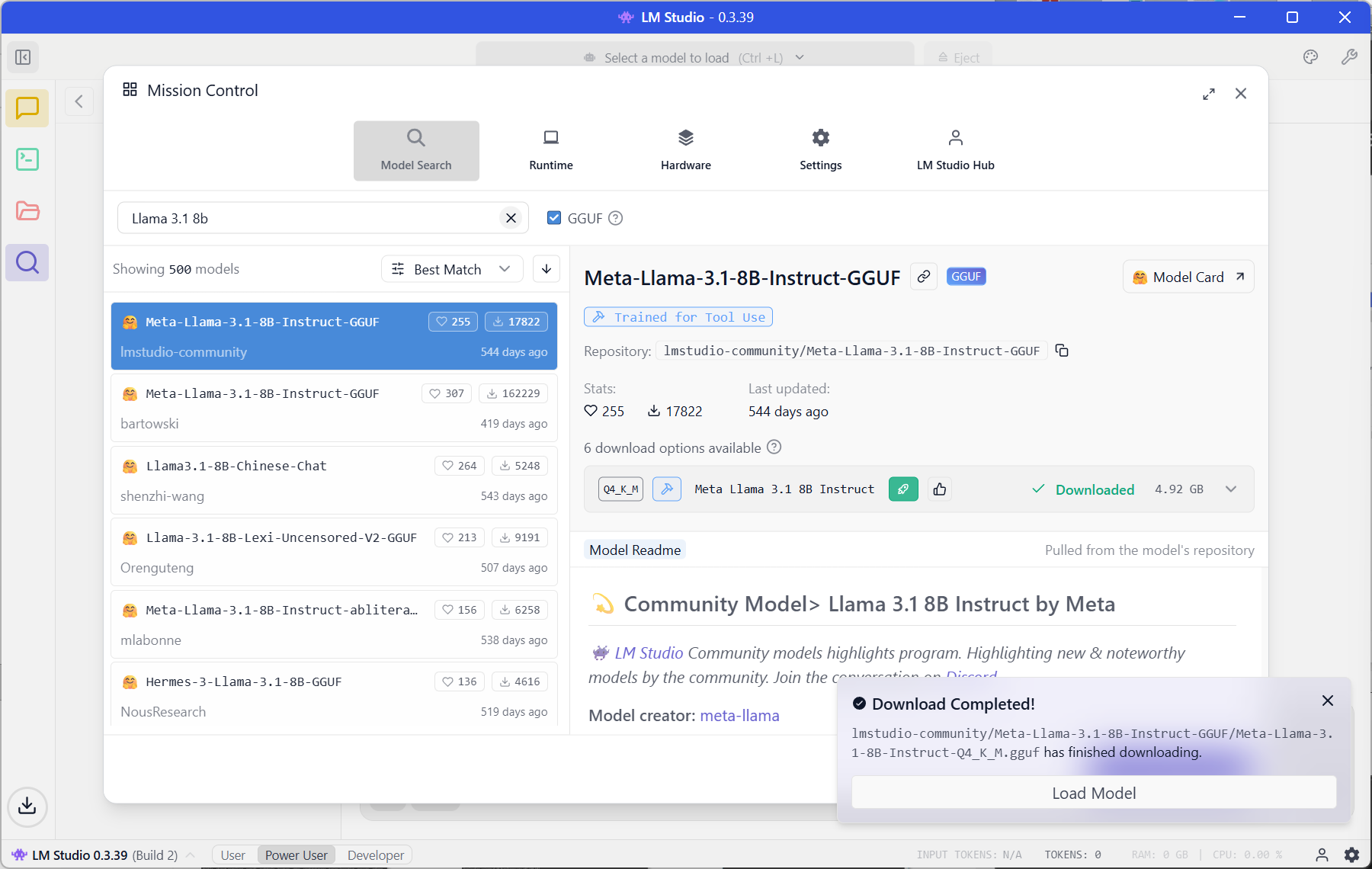
Download LM Studio (Version 0.3.17 or later).
Search for
Llama 3.1 8B.Download a “Q4_K_M” quantization (this is the sweet spot between speed and smarts).
Phase 2: The Hands (FastMCP)
The brain is trapped in a box. It can’t see the web. We need to give it hands.
We’re using a library called fastmcp. It allows us to build tools in Python that the AI can “hold.”
In your terminal (with venv activated):
pip install fastmcp requests
Then create a file called server.py with this code:
from fastmcp import FastMCP
import requests

# 1. Name your agent
mcp = FastMCP("Fetcher")

# 2. Define the tool (The "Hands")
@mcp.tool()
def fetch_web_summary(url: str) -> str:
    """
    Visits a website, grabs the text, and returns a short summary.
    This runs LOCALLY. The AI decides when to use it.
    """
    try:
        # Go to the website (10-second timeout so it doesn't hang)
        resp = requests.get(url, timeout=10)
        resp.raise_for_status()

        # Return the first 2,000 characters (Saves context window)
        return f"Content from {url}:\n\n{resp.text[:2000]}..."

    except Exception as e:
        return f"Error fetching site: {str(e)}"

# 3. Turn it on
if __name__ == "__main__":
    mcp.run()
The Connection
In LM Studio, go to Program > Edit mcp.json, and paste this:
{
  "mcpServers": {
    "local-fetcher": {
      "command": "python",
      "args": ["C:/Users/NAME/Desktop/server.py"]
    }
  }
}
Note: Even on Windows, use forward slashes / in the path to prevent errors. Replace NAME with your actual username.
Run your server:
fastmcp dev server.py
The Result: A Controlled Breach
When you save that file and restart the chat, you will see a new “Tools” icon.
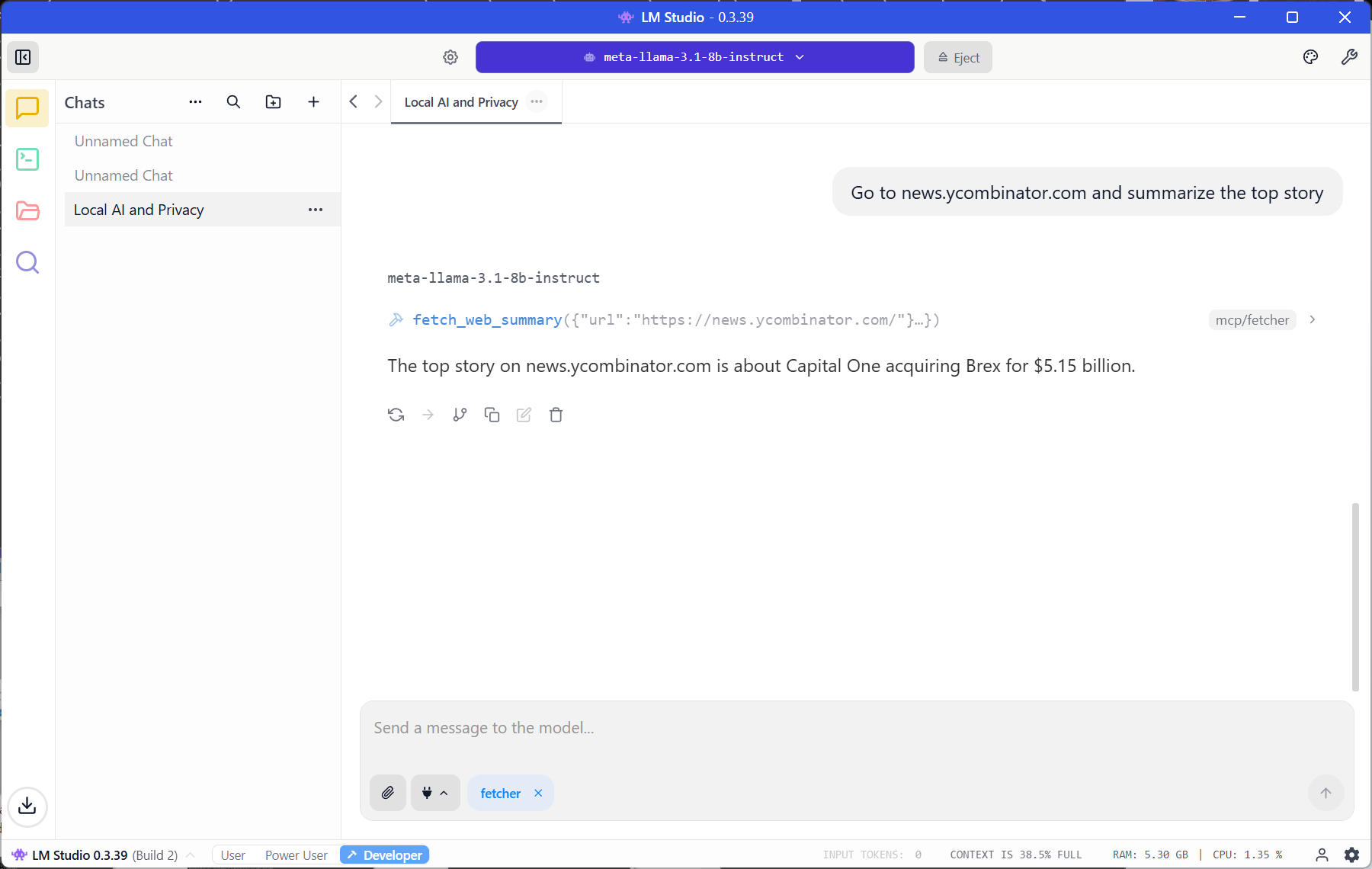
I asked my local Llama 3.1 model to check the top story on Hacker News. It didn’t hallucinate. It didn’t check its training data from 2023.
It went out, fetched the live web, and brought back the data.
Final Operator Verdict: ADOPT
Why: Total data sovereignty with zero per-token cost.
Who should SKIP: Anyone on a locked-down corporate laptop without admin rights.
AI Frankly: No hype. Just receipts.
I broke it. Here’s what I learned.